Schedule and dispatch
Put the right people on the right job
Build the day on a calendar, assign teams, and repeat the work that comes back every week.
- Job scheduling
- Recurring jobs
- Team dispatch
- Time off
- Service requests
- Job photos
Operations software for field teams
Scheduling, dispatch, proposals, invoices, payroll and a customer portal in one place. Built for any business that sends people out to do the work.
No credit card needed. Installs on iPhone and Android.
Available in English and Spanish
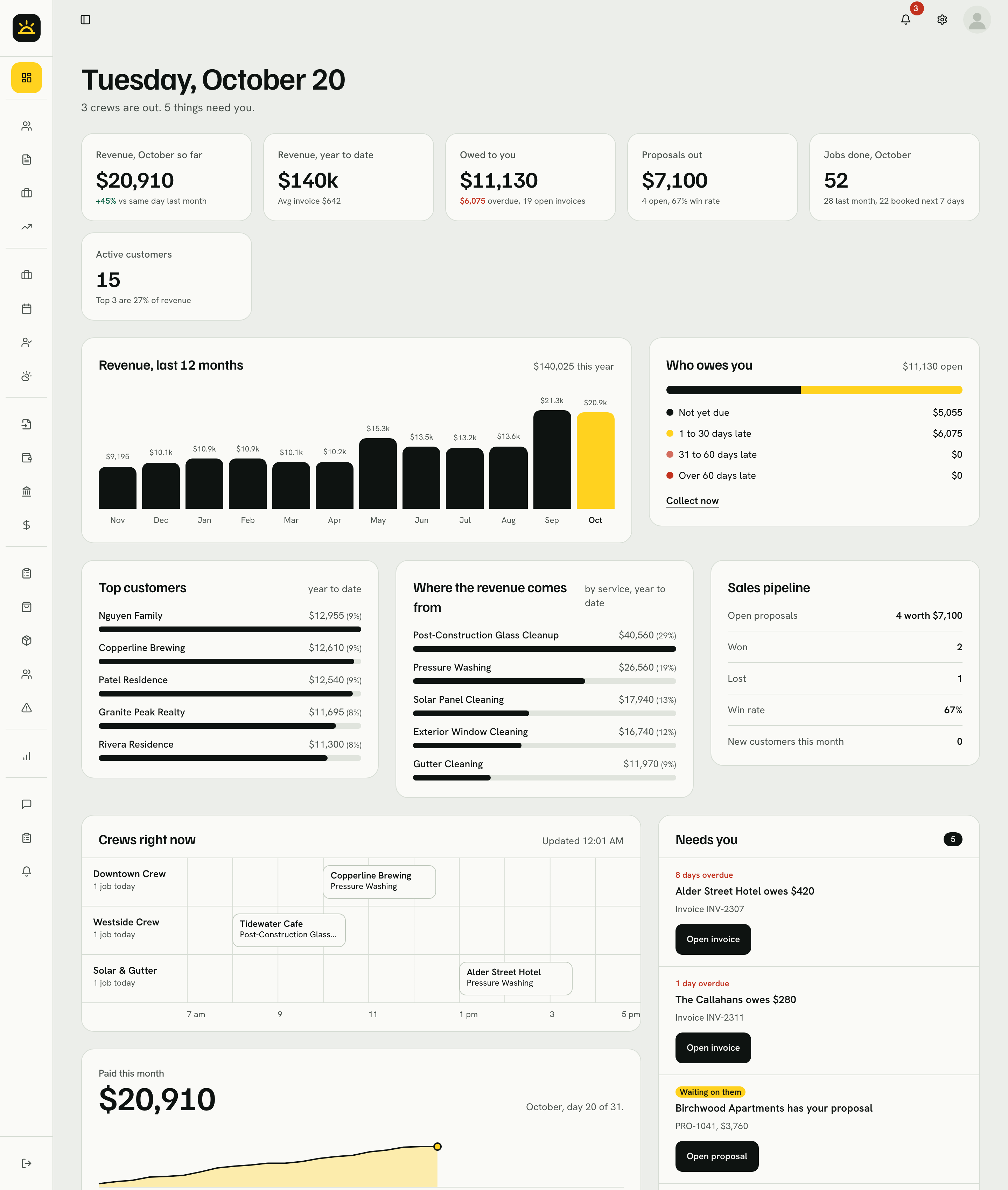
Screens show a demo company with fictional data.
For any team that goes to the customer
The problem
Your job lives in five places. It should live in one.
 CommandDeckOne customer list
The calendar, the sheet, the texts, the payroll app and the bookkeeper.One customer list. One set of numbers. From the quote to the paycheck.
How it works
Build the quote, send it, and watch it turn into a yes. Customers approve from the link, and you see it the moment they do.
Put it on the schedule once. Work that comes back every week repeats on its own.
Assign a person or a team, see who is out right now, and catch the job nobody has yet.
Install it from the browser. Open today's jobs, add photos and fill in the end-of-day form on site.
Bill the finished job and record the payment. The numbers on your dashboard move when the money does. QuickBooks sync is available once you connect your QuickBooks account in Settings.
Look inside
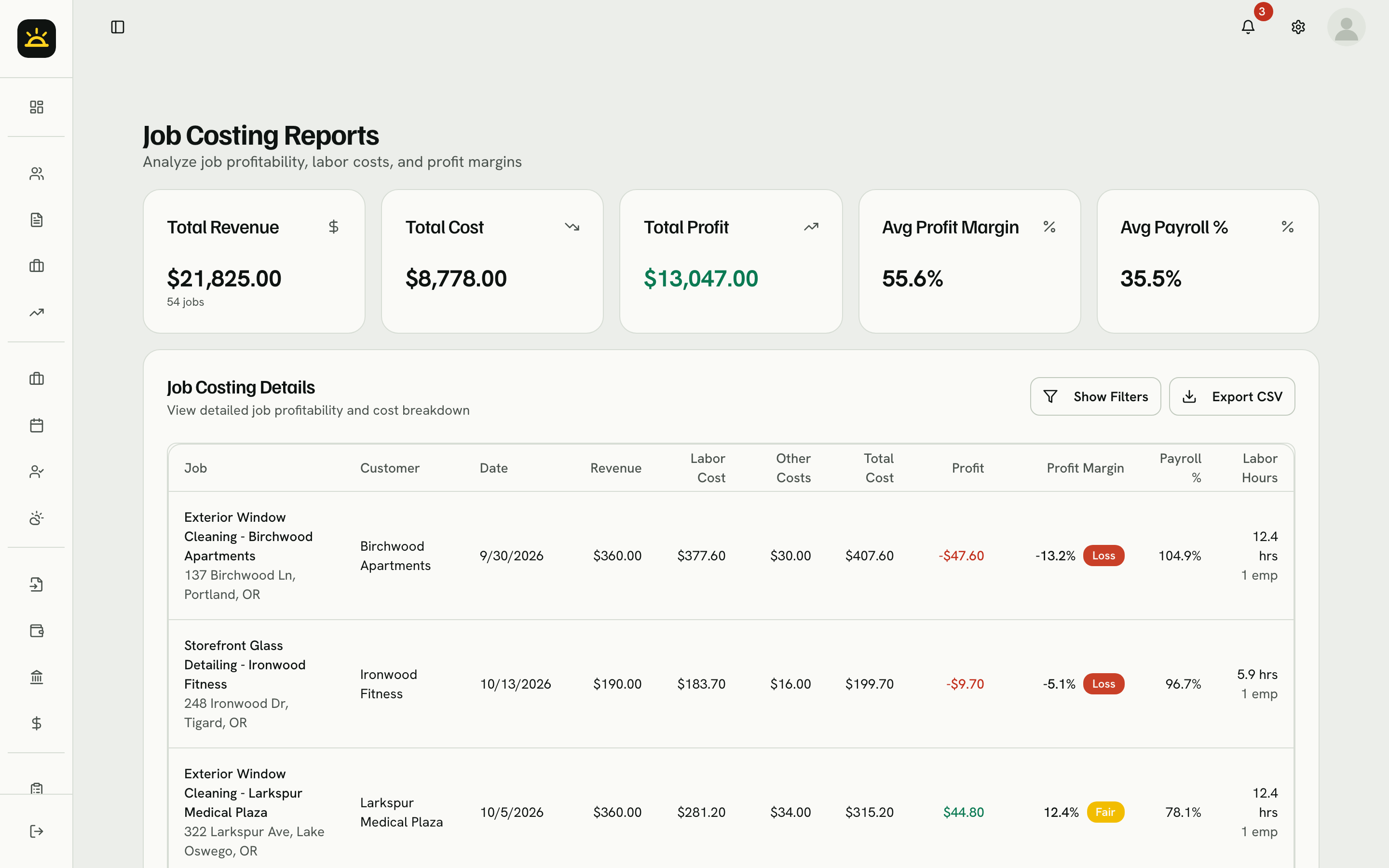
Every screen here is the running app with a fictional demo company in it.
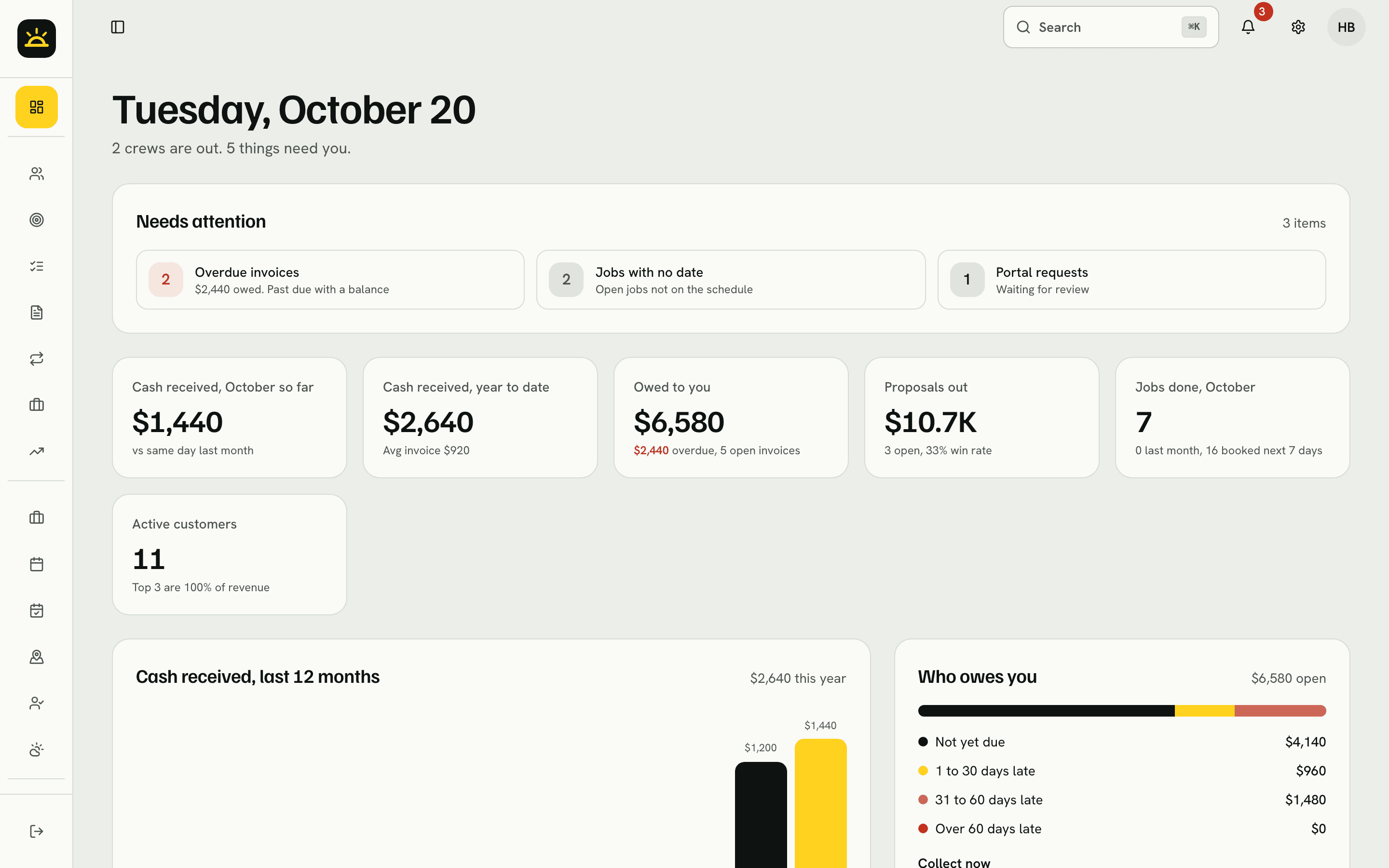
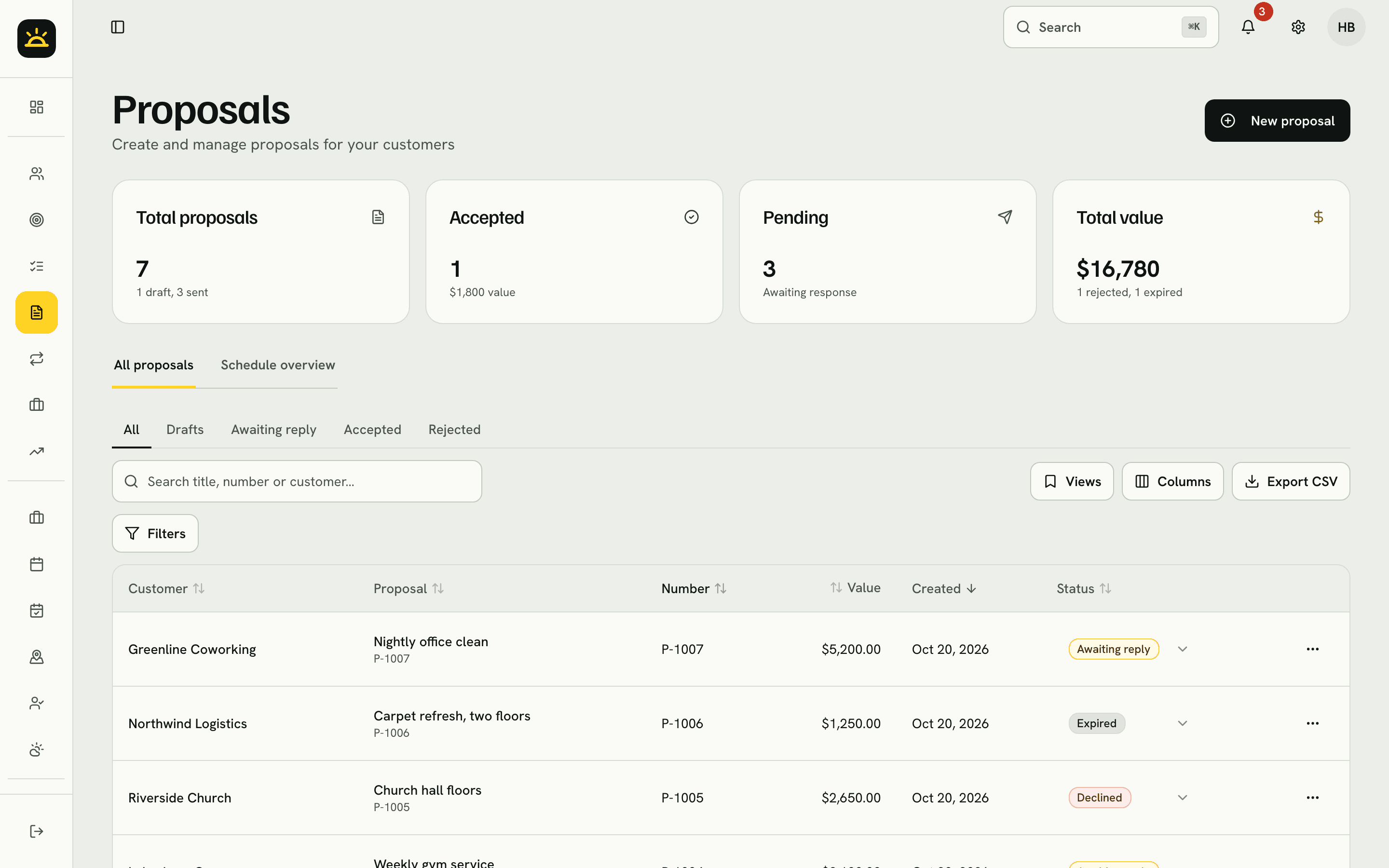
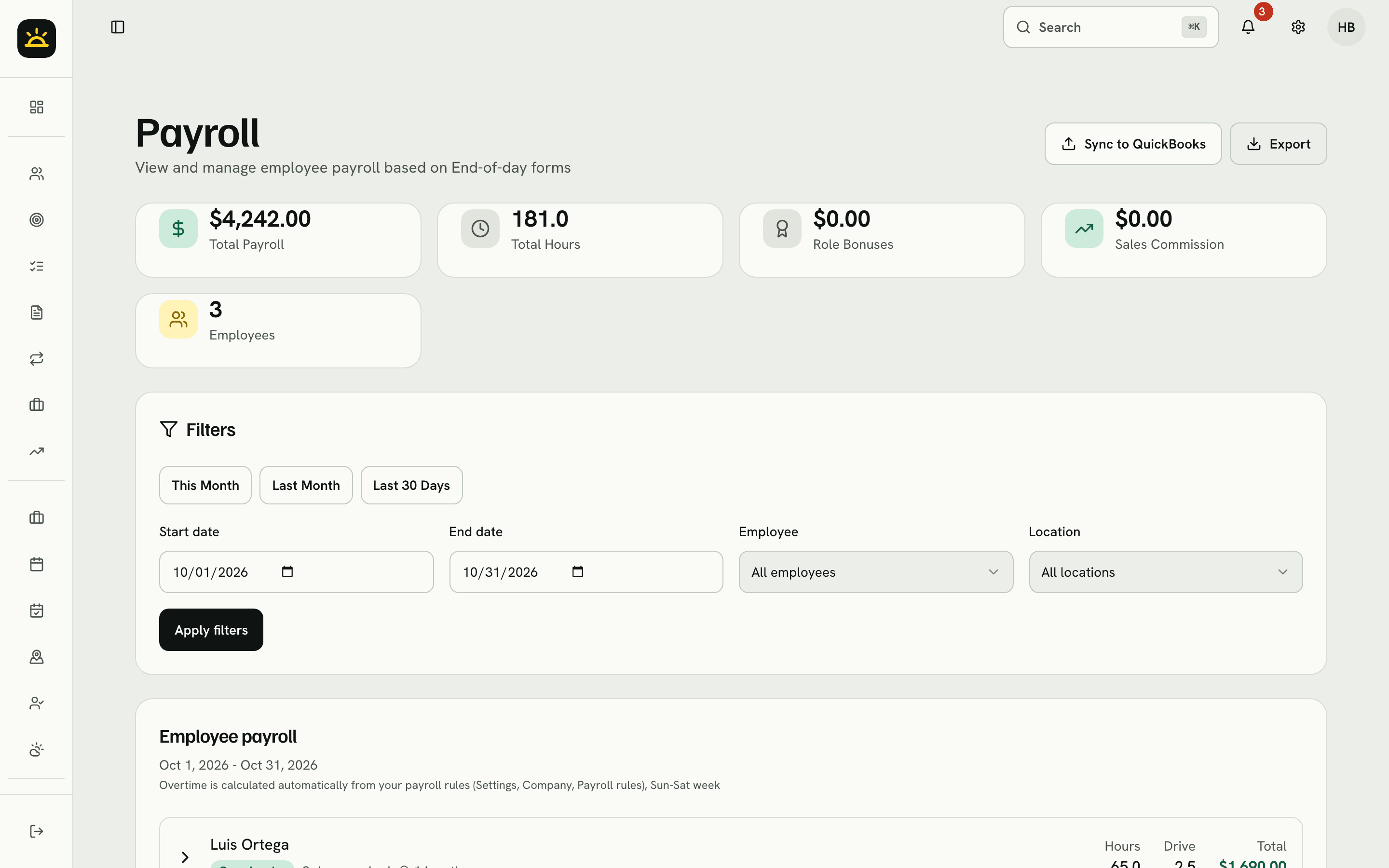
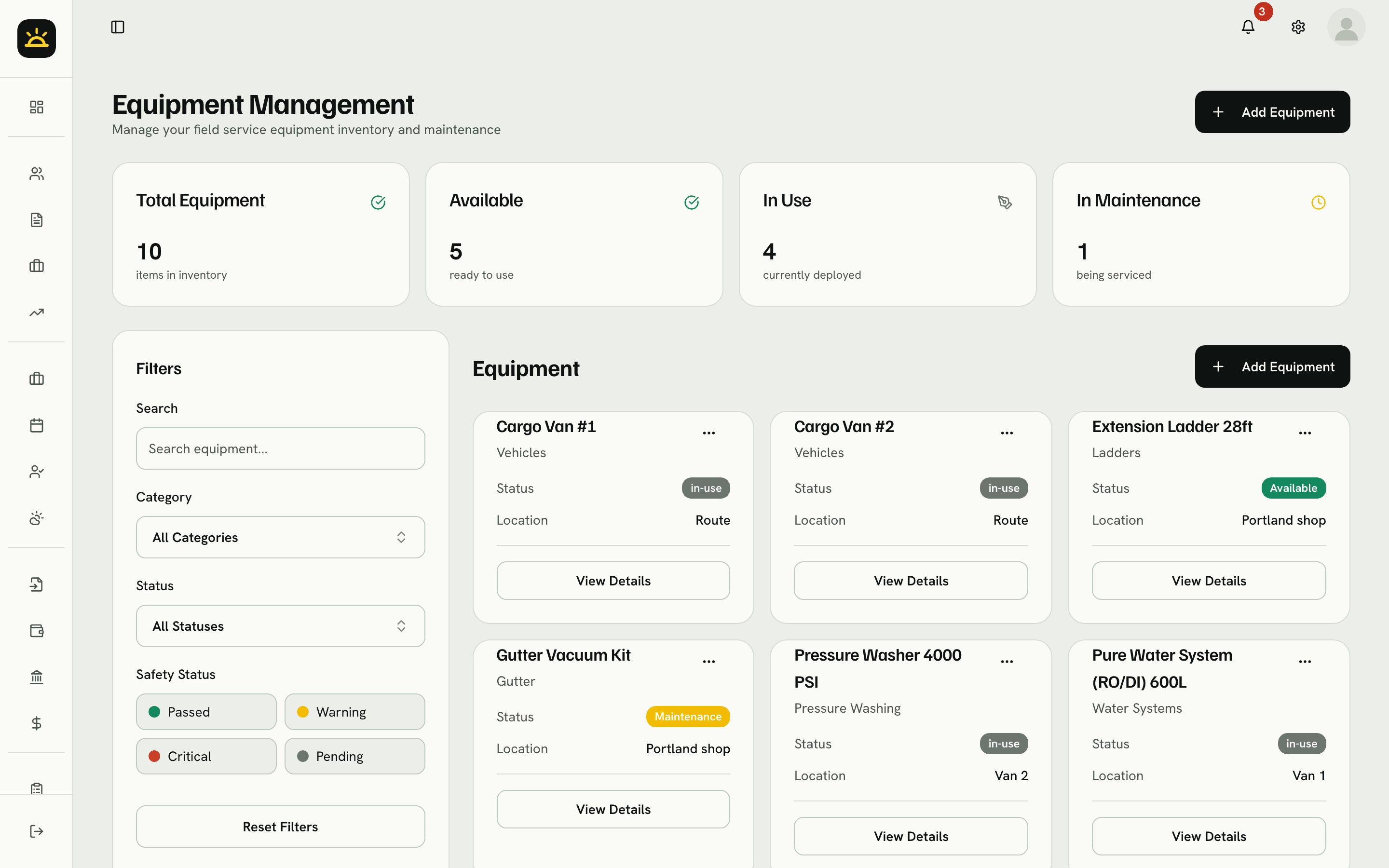
Revenue, what you are owed, proposals out and jobs done, on the first screen of the day.
What is inside
Four areas most field businesses stitch together from separate tools. Here they share one customer list and one set of numbers.
Schedule and dispatch
Build the day on a calendar, assign teams, and repeat the work that comes back every week.
Sell and get paid
Send proposals customers can approve from a link, then turn the work into an invoice and track the payment.
Run the team
Handle payroll, watch equipment and supplies, and record incidents the day they happen.
Know your numbers
Compare what a job cost with what you billed, and see the whole business on one dashboard.
Two languages
Each person on your team picks their own language, and your customers pick theirs. Staff screens, the field app, the customer portal and online booking work in both, and invoices, proposals, e-mails and texts go out in each customer's language.
Still in English: the legal pages, e-mails to your own team (alerts, report digests and invitations) and the product screenshots on this site. Anything your company writes, like proposal terms or custom message templates, stays as you wrote it.
Office and field in sync
Customer portal
They can see their jobs, approve proposals, message you and request service without phoning in.
Installable app
Install it from the browser. Your field staff open today's jobs, add photos and fill in forms on site.
Roles and permissions
Admins, supervisors, crew leaders and technicians each get their own view, with custom permissions per person.
Pricing
Every plan starts with a 14-day free trial. No credit card needed. Every plan includes English and Spanish.
Owner-operators and a first hire
69/mo
Teams that sell and dispatch daily
295/mo
Multi-crew operations
499/mo
Put your own brand, domain and app name on CommandDeck, with help from us to set it up. For franchises, larger companies and agencies.
Prices in US dollars. More than 20 active staff, or your own dedicated deployment, is priced separately, so talk to us.
Questions
Any business that schedules people to do work at customer locations. Setup templates cover cleaning, window and exterior cleaning, HVAC, plumbing and landscaping, plus a general service template for everything else.
Yes. CommandDeck works in English and Spanish. Each person on your team chooses their own language, and customers can choose theirs in the customer portal and on booking pages. Invoices, proposals, e-mails and texts go out in the customer's language. A few things are still English only: the legal pages, e-mails to your own team (alerts, report digests and invitations) and the product screenshots on this site. Names and text your company writes, such as proposal terms or custom templates, stay exactly as you wrote them.
No. Every plan starts with 14 days free and no card.
Yes, once you connect your QuickBooks account in Settings. It syncs customers, invoices and payments.
Yes. CommandDeck installs from the browser as an app on iPhone and Android, so your field staff can open jobs, add photos and fill in forms on site.
Larger teams are priced separately. Talk to us and we will build a price around your team.
Yes. White-label puts your logo, colors, domain and app name on everything your customers see. We help you set it up.
Set up your customers, schedule a few jobs and send an invoice before you pay anything.
No credit card needed.
End-of-day form
Issued Oct 19 · Due Nov 3